eBookViewer (e-book viewer) is an application in order to comfortably browse the e-book from the Android OS smartphone / tablet.
eBookViewer is an application that allows you to comfortably view e-books from your Android OS smartphone/tablet.
Specific companies can use eBookViewer to download catalogs, pamphlets, books, manuals, etc.
We publish content in a viewable format.
You can view the corresponding content by simply entering the ID/PASS introduced by the company.
It's Noh.
※※Operation confirmed terminal※※
[Compatible models]
■Phone
●docomo
・GALAXY S SC-02B
・Xperia arc SO-01C
・Xperia acro SO-02C
・GALAXY S II SC-02C
・ARROWS X LTE F-05D
・GALAXY S II LTE SC-03D
・AQUOS PHONE SH-01D
・Xperia acro HD SO-03D (NEW!)
・GALAXY S III SC-06D (NEW!)
・ARROWS X F-10D (NEW!)
●au
・IS03
・infobar A01
・Xperia acro IS11S
・HTC EVO WiMAX ISW11HT
・ARROWS Z ISW11F
・DIGNO ISW11K
・HTC EVO 3D ISW12HT
・MOTOROLA PHOTON ISW11M
・GALAXY S II WiMAX ISW11SC
・HTC J ISW13HT (NEW!)
●SoftBank
・AQUOS PHONE 102SH
■Tablet
・GALAXY Tab SC-01C
・MOTOROLA XOOM Wi-Fi TBi11M
・Optimus Pad L-06C
・Arrows Tab LTE F-01D
・GALAXY Tab 7.0 Plus SC-02D
・GALAXY Tab 10.1 LTE SC-01D
・Sony Tablet S SGPT111JP/S
■How to use this app■
●New book registration
Enter the ID/PASS of the content you want to view and press the "Register" button to view the content.
(Some contents can be viewed only with an ID.)
●Browsing history
Displays content that has been viewed once.
You can view the content again by tapping the title you want to view again.
●Settings/Information
You can display instructions on how to use this app, information about the app's version and provider, and set functions that can be switched by the user.
●Operations after displaying content
For operations after displaying the content, please see "Help" in the upper right corner of the content display screen.
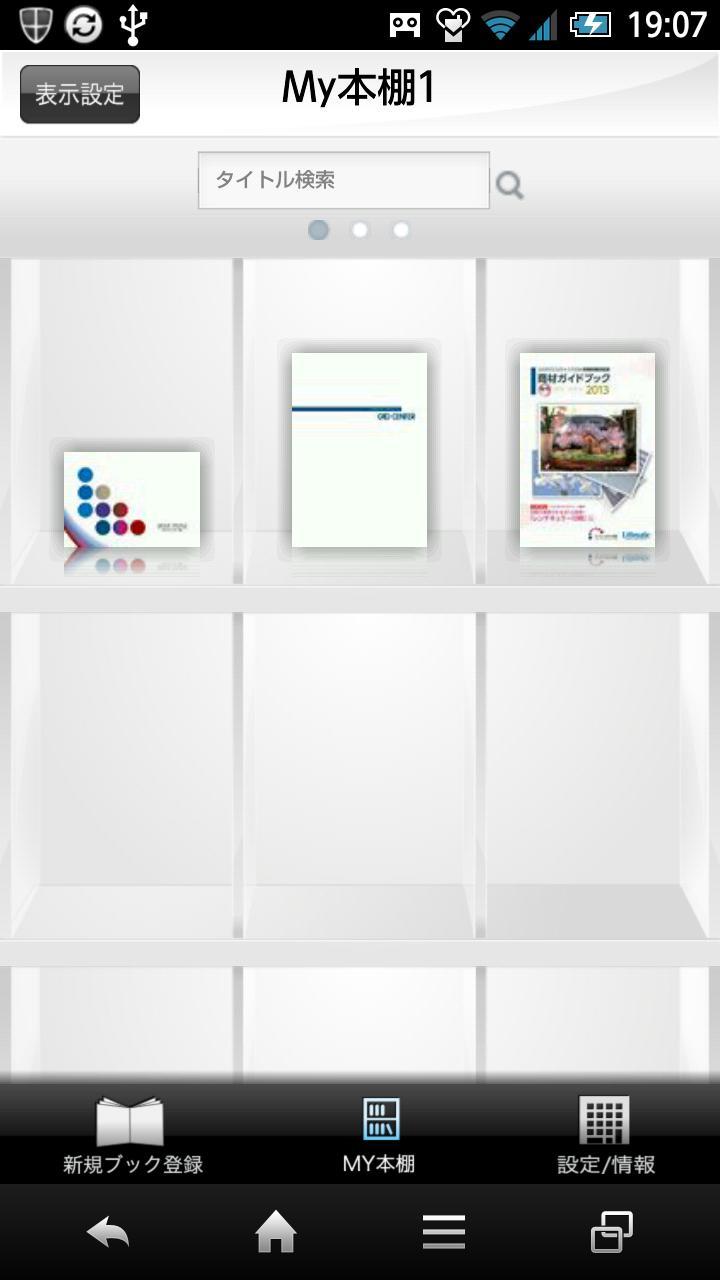
----- MY bookshelf -----
- Significantly improved the bookshelf interface, allowing you to grab books and move and sort them between the three bookshelves.
You can now delete books by placing them in the trash.
・You can also search for books in MY bookshelf by book title.
▽The following bugs have been fixed.
- When displaying a square book on a bookshelf, it would protrude from the bookshelf.
・It does not remember the last page number you closed and returns to the first page.
- Problem with rich flip animation.
- If you change the page after sorting by title name on the latest book screen, the sorting does not become effective.
- Optimized for high-definition displays - High-definition images when enlarged The image quality when displaying enlarged books has been improved.
(Available if the book is set to support high definition.)
・Official support for AndroidOS4.0 ・Additional operating devices
Read more